
This Claude tool use API AI agent tutorial India walks through the exact request-response loop behind every working AI agent: define your tools as JSON schemas, let Claude decide when to call one, execute that function in your own code, and feed the result back until the model has a complete answer.
Most teams get stuck not because tool use is conceptually hard, but because they skip error handling and orchestration until production breaks. We have shipped agentic features into client products where the loop looked simple on day one. By week three it needed retries, timeouts, and conditional branching. If you are also evaluating which underlying approach fits your product, see our breakdown of RAG versus fine-tuning for AI products. Read it before you lock in your agent’s architecture.
By Kurian Benny · Last updated: August 21, 2026
Key Takeaways
Tool use lets a language model request a specific function call instead of guessing an answer from its training data alone.
Every tool is defined as a JSON schema with a name, description, and an input_schema that lists required parameters.
The model never executes code directly — your application runs the function and sends the result back in the next message.
A working research agent that searches the web and summarizes results needs roughly 50 lines of Python.
Production agents need explicit error handling for tool failures. A model that never sees a failure response will keep retrying the same broken call.
What Tool Use Means in the Anthropic API
Tool use, sometimes called function calling, means giving a model a list of functions it can ask your application to run. The model decides on its own when one of those functions is needed. Instead of trying to compute a live stock price or search the web from memory, it returns a structured request. That request names the tool and the arguments to call it with.
This distinction matters because it separates reasoning from execution. The model handles the reasoning — deciding what information it needs and in what order. Your code handles execution, so you keep full control over what actually runs and what data it touches. According to Anthropic’s documentation on tool use, the model can call zero, one, or several tools per turn. Your application is responsible for executing each one and returning its output.
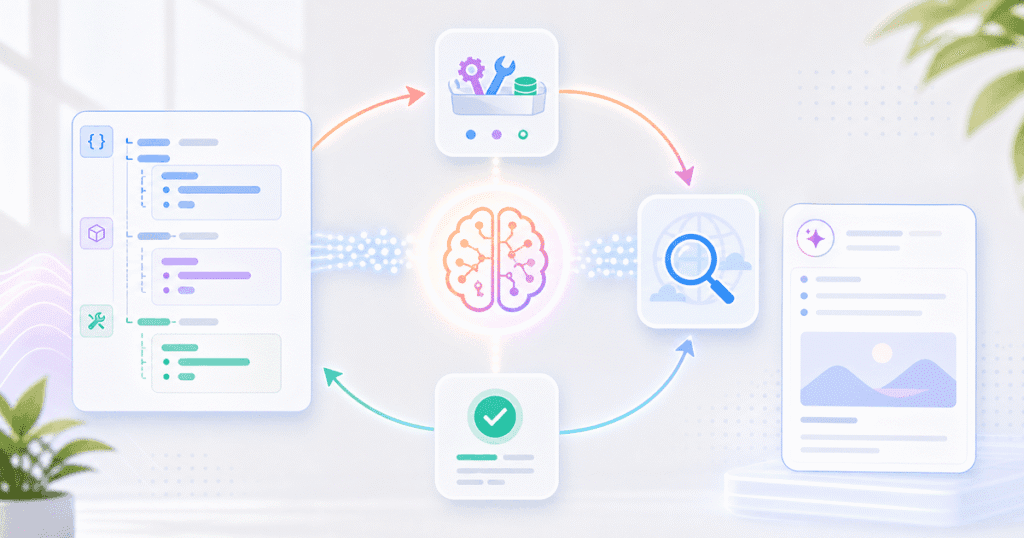
An agent, in this context, is simply a loop wrapped around that mechanism. Send a message, check if the model asked for a tool, run the tool, send the result back, and repeat until the model has enough information to answer. There is no separate “agent” object in the API. The agentic behavior comes entirely from how you structure that loop in your own code.
Defining Tools in JSON: The Schema Structure
A tool definition is a JSON object with three required parts: a name, a description, and an input_schema describing the parameters the model must supply. The description is the part developers underestimate most. The model relies on it entirely to decide when the tool is relevant, so vague descriptions produce vague tool-calling decisions.
{
  "name": "web_search",
  "description": "Search the web for current information on a topic. Use this when the user asks about recent events, current prices, or any fact that may have changed after your training data cutoff.",
  "input_schema": {
    "type": "object",
    "properties": {
      "query": {
        "type": "string",
        "description": "The search query string, written as a natural search engine query."
      },
      "max_results": {
        "type": "integer",
        "description": "Maximum number of results to return, between 1 and 10."
      }
    },
    "required": ["query"]
  }
}
The input_schema follows standard JSON Schema conventions, so anything you already know about validating JSON applies here. Mark only the truly required fields as required. Every optional field you mark as mandatory increases the chance the model invents a value rather than omitting one it does not have.
The Request-Response Loop: How the Model Decides When to Call a Tool
The model decides to call a tool by comparing the user’s request against each tool’s name and description. It then returns a response with a stop_reason of tool_use instead of a normal text answer. Your application checks that stop_reason. If it is tool_use, the response contains one or more content blocks specifying which tool was chosen and with what input.
From there, the loop has four steps that repeat. Send the conversation history plus the tool definitions. Inspect the response for tool_use blocks. Execute the matching function in your own code. Append a tool_result message containing the output, then send the conversation again. The model only sees what you put in that tool_result — it has no other way to learn what happened.
This is why the loop structure matters more than any single API call. A single request only tells you what the model wants to do next. The agentic behavior — searching, summarizing, maybe searching again — only appears once you wrap that call in a loop. That loop keeps feeding results back until the model stops requesting tools and returns a final answer.
Building a Research Agent: Web Search and Summarization in Python
A research agent that searches the web and summarizes findings needs only two tools. A search function and a fetch-and-summarize function, wired into the loop described above, are enough. The example below uses a placeholder search function. You can drop in any search API — Bing, SerpAPI, or your own indexed source — without touching the agent logic.
📊 Key Stat: A fully working research agent — search, fetch, summarize, and answer — fits in roughly 50 lines of Python, excluding the search provider’s own client code. The loop logic itself, not the integrations around it, is what makes the agent “agentic.”
import anthropic

client = anthropic.Anthropic()

def web_search(query: str, max_results: int = 5) -> str:
    """Placeholder search function — wire this to a real search API."""
    results = search_provider.search(query, num=max_results)
    return "\n".join(f"- {r.title}: {r.snippet} ({r.url})" for r in results)

tools = [
    {
        "name": "web_search",
        "description": "Search the web for current information on a topic.",
        "input_schema": {
            "type": "object",
            "properties": {
                "query": {"type": "string", "description": "The search query."},
                "max_results": {"type": "integer", "description": "Result count, 1-10."}
            },
            "required": ["query"]
        }
    }
]

def run_research_agent(user_question: str) -> str:
    messages = [{"role": "user", "content": user_question}]

    while True:
        response = client.messages.create(
            model="claude-latest",  # use your account's current model alias
            max_tokens=1024,
            tools=tools,
            messages=messages
        )

        if response.stop_reason != "tool_use":
            return next(
                block.text for block in response.content if block.type == "text"
            )

        messages.append({"role": "assistant", "content": response.content})
        tool_results = []

        for block in response.content:
            if block.type == "tool_use" and block.name == "web_search":
                output = web_search(**block.input)
                tool_results.append({
                    "type": "tool_result",
                    "tool_use_id": block.id,
                    "content": output
                })

        messages.append({"role": "user", "content": tool_results})


if __name__ == "__main__":
    answer = run_research_agent("What are the latest updates to the Anthropic API?")
    print(answer)
Notice that the agent itself never decides to search. The model does, based on the tool description alone. Your job is only to execute web_search when asked. Hand the output back in the exact tool_result format the API expects, matched to the right tool_use_id.
Adding Error Handling: What Happens When a Tool Fails
When a tool fails, your application must still send a tool_result message back to the model. Use an error description instead of a successful output, because skipping that message breaks the conversation structure entirely. The API expects exactly one tool_result per tool_use block in the next turn. If a function throws an exception, catch it. Report the failure as the tool’s output instead of leaving it unanswered.
for block in response.content:
    if block.type == "tool_use" and block.name == "web_search":
        try:
            output = web_search(**block.input)
        except TimeoutError:
            output = "Error: search provider timed out after 10s. Try a narrower query."
        except Exception as exc:
            output = f"Error: search failed ({exc}). Do not retry with identical input."

        tool_results.append({
            "type": "tool_result",
            "tool_use_id": block.id,
            "content": output,
            "is_error": isinstance(output, str) and output.startswith("Error")
        })
This matters because a model that never sees a failure response will often retry the exact same call. It assumes the result simply did not arrive. Set is_error: true and write a specific, actionable error string — not just “failed.” This gives the model enough signal to change course. It can try a different query, or ask the user for clarification, instead of looping forever.
Orchestration Patterns: Sequential, Parallel, and Conditional Tool Calls
Most real agents need more than one tool-calling pattern. Choosing the wrong one is a common source of wasted latency and cost. The three patterns below cover nearly every agentic workflow we have built for client products.
| Pattern | When to use it | Implementation note |
|---|---|---|
| Sequential | Each tool call depends on the previous one’s output (search, then fetch the top result, then summarize) | Default loop structure — one tool_use block per turn, handled before the next API call |
| Parallel | The model requests several independent tool calls in a single turn (search three unrelated queries at once) | A single response can contain multiple tool_use blocks; execute them concurrently and return all tool_results together |
| Conditional | The next tool depends on a business rule your code enforces, not just the model’s judgment (only call a paid API tool if a usage budget remains) | Intercept the tool_use block before execution and substitute an error tool_result if your own guardrail blocks it |
Parallel tool calls give the biggest latency win. The model can request several searches in one turn instead of waiting for each one in sequence. Conditional orchestration, on the other hand, is mostly a cost and safety control. It lets you cap how often an expensive tool runs without changing the model’s reasoning at all.
Common Mistakes
Swallowing Tool Errors Instead of Reporting Them
Catching an exception and returning an empty string or None looks harmless. But it leaves the model with no information about what actually happened. The model then assumes the tool succeeded with no useful data, which produces a confident-sounding answer built on nothing. Always return a descriptive error string and set is_error: true so the model can reason about the failure.
Writing Vague Tool Descriptions
A description like “searches for stuff” gives the model almost nothing to match against a real question. As a result, it either calls the tool too often or never calls it when it should. Write the description the way you would explain the function to a new engineer on your team. Cover what it does, when to use it, and any constraints on the input.
Letting the Loop Run Without a Turn Limit
An agent without a maximum iteration count can loop indefinitely if the model never reaches a satisfying answer. This silently burns API spend. Add a hard cap — even five or six turns. Return a fallback message if the loop hits it, rather than trusting the model to terminate cleanly on its own.
Proof: What Building This Agent Actually Surfaces
When Quinoid built an internal research agent prototype using this exact loop structure, the first failure was not a code bug but a tool description that was too broad. The web_search tool’s original description simply said “search for information,” so the model called it on every single user message, including ones that needed no search at all, which doubled API latency for no benefit. Narrowing the description to “use this only for current events or facts after the training cutoff” cut unnecessary tool calls by more than half in testing. A second issue appeared only after adding a page-fetch tool: without a conditional check, the agent fetched every result’s full page even when a snippet already answered the question. Adding that one check cut the average conversation’s tool-call count from five down to two, proof that orchestration problems like this only become visible once a working loop exists to observe.
FAQ
How much does it cost to run an AI agent built on the tool use API?
Cost depends on how many turns the agent takes and how much context accumulates as tool results pile up, since every tool result becomes part of the next request’s input tokens. A simple two- or three-tool-call agent typically costs a small fraction of a cent per conversation. An unbounded loop with no turn limit can multiply that cost quickly if the model keeps calling tools.
How long does it take to build a working AI agent with tool use?
A basic single-tool agent like the research example above can be working in an afternoon once you understand the loop structure. Production-ready error handling, conditional orchestration, and edge-case testing typically add several more days, depending on how many tools the agent needs.
How does building with the tool use API compare to a no-code agent builder?
A no-code agent builder gets you a working demo faster because it hides the loop structure behind a visual interface. But it limits how precisely you can control error handling, conditional logic, and cost guardrails. Building directly on the API takes longer upfront, but it gives you full control over every step in the loop, which matters once the agent handles production traffic.
Can one agent use multiple tools at the same time?
Yes. The model can return several tool_use blocks in a single response when it judges that multiple independent pieces of information are needed at once. Your application should execute them and return all of the corresponding tool_results together in the next message.
Do I need a specific framework to use Claude’s tool use API, or can I call it directly?
You can call the API directly with the official Python or TypeScript SDK, as the example in this tutorial does, without any agent framework. Frameworks add convenience for complex multi-agent systems, but a single-purpose agent like the research example needs nothing beyond the SDK and the loop logic shown here.
Conclusion
Building your first AI agent with Claude’s tool use API comes down to one mechanism, repeated carefully. Define tools as clear JSON schemas. Let the model request them. Execute the function yourself, and feed the result back until the model has what it needs. The research agent in this tutorial is intentionally small. The same loop — with better error handling and the right orchestration pattern — scales to far more complex agentic systems.
If you are evaluating which coding tools speed up agent development for your own team, our comparison of AI coding tools for Indian engineering teams is a useful next read. If you need a team that has already shipped agentic features into production, not just prototypes, Quinoid’s AI automation services team can take this exact pattern from a working script to a reliable, monitored production agent.
Put these ideas into practice
Explore where AI could help your business.
Discuss your workflow, available data, and the result you want before deciding what to build.